

The Top 10 Mini Inkless Printers
Contents
Why inkless printers?
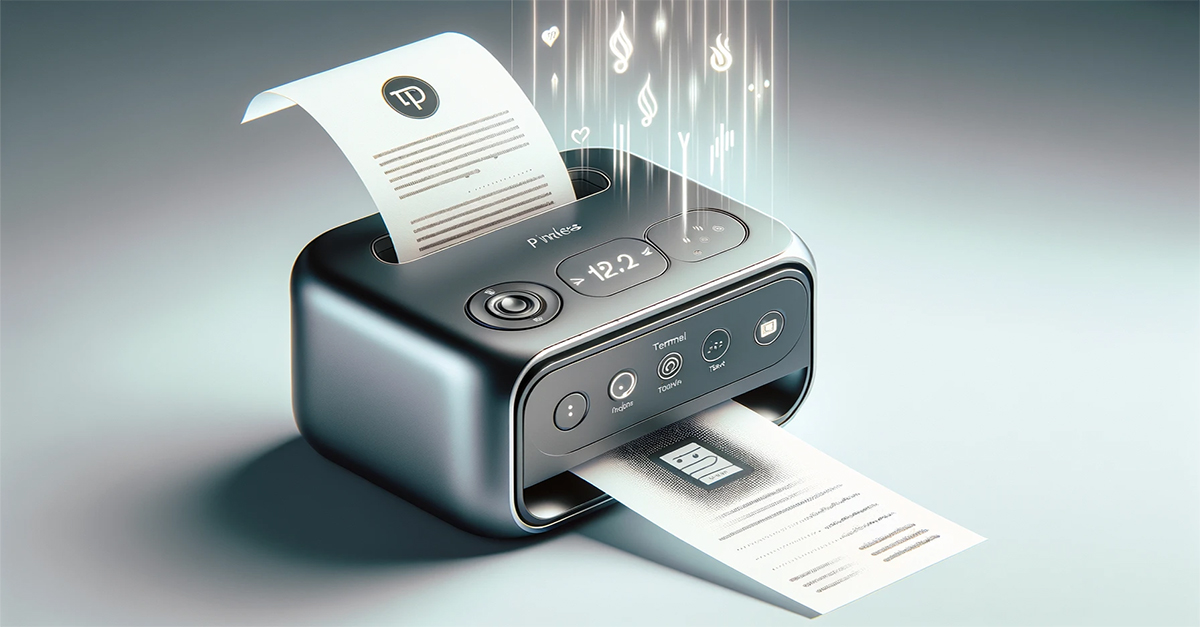
We all are familiar with inkless printers, also known as thermal printers. Whenever a machine prints out a receipt – at the bank ATM, store checkout, barcode labels – chances are it is an inkless print.
Now, however, the latest generation of small, compact and portable inkless printers are emerging as popular consumer gadgets. Businesspeople and especially students love them for quickly and easily printing digital notes, study materials, stickers and more on the go.
The rise in popularity among the student community is not without reason. In an era where digital notes are the norm, the ability to quickly print them out for review or sharing is invaluable. Read on and discover the convenience and innovation of mini inkless printers for your personal use.
Choosing the Best Mini Inkless Printer for Your Needs
To help you navigate through the numerous options available in the market, we've curated a list of the most popular mini inkless printers.
This list has been compiled based on a variety of critical factors, including user reviews, product features, price, and specific advantages that make each printer stand out. Whether you're a student, a professional, or someone who loves crafting and photography, this list aims to cater to a wide array of needs and preferences.
From models like the Phomemo M02, known for its portability and high-quality prints, to the KODAK Step Photo Mini Printer, celebrated for its zero-ink technology, each printer in this list has its unique set of features that appeal to different user requirements. Some printers are highlighted for their exceptional suitability for photo printing, while others are chosen for their versatility in printing stickers or for general use.
By providing a range of options, this list serves as a guide to help you find a printer that not only meets your specific printing needs but also fits your lifestyle and budget. The printers included here are recognized for their compact size, ease of use, and innovative printing technologies, making them a top choice for those seeking efficient and portable printing solutions.
Based on recent reviews and recommendations, here's a list of some of the most popular mini inkless printers:
| Product | Description | Price | |
|---|---|---|---|
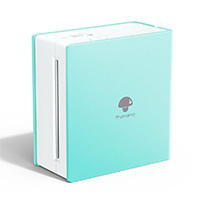 |
Phomemo M02 | The Phomemo M02 is a compact, portable thermal printer designed for note-taking, labeling, and light office tasks. It connects via Bluetooth 4.0 and works with devices running Android 7.0 or later and iOS 13.0 or later. As a thermal printer, it does not use ink or toner, which reduces maintenance and operating costs. Instead, it prints directly onto thermal paper, making it suitable for quick text and graphics in monochrome. At just 3.3 by 3.2 by 1.6 inches, the M02 is small enough to slip into a pocket or bag, which makes it convenient for students, teachers, and mobile workers. Its lightweight build is combined with a simple square design, keeping portability as its main advantage. The printer pairs with the Phomemo app, which provides a range of functions beyond basic text printing. The app allows one-click printing for notes, lists, or labels, while also offering fonts, filters, and templates to customize layouts. It supports photo printing in black and white, which is primarily useful for diagrams or study materials rather than high-quality images. Practical uses extend across education, business, and personal organization. Students can use the scan-and-print function for study graphics and notes, while teachers may find it useful for quick labeling or classroom materials. In an office setting, the M02 can generate memos, meeting notes, or receipts. Parents may use it for labeling items or creating reminders. Battery management is important for this device. The indicator light signals when charging is required, and occasional charging is recommended if the printer is left unused for long periods. Overall, the Phomemo M02 is a versatile, highly portable tool for light-duty printing. It works best for organization, education, and labeling tasks, offering convenience and flexibility in a compact package. |
$49.99 |
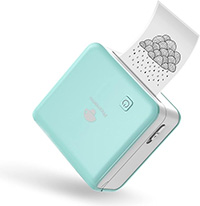 |
Phomemo M02 PRO | The Phomemo M02 Pro is an upgraded version of the company's portable thermal printer series, designed for note-taking, labeling, and study use with more versatility than the standard M02. It connects via Bluetooth 4.0 and supports Android 7.0 and later as well as iOS 13.0 and later. Like other thermal printers, it does not require ink or toner, printing directly onto thermal paper. The Pro model supports a wider paper width of up to 53 mm, which allows larger print formats compared with the base version. The printer measures 3.3 by 3.2 by 1.6 inches, keeping the compact, pocket-sized shape that makes it easy to carry in a bag or coat pocket. Despite its small size, the Pro version is designed for broader use cases, from student study materials to light office organization and labeling tasks. The M02 Pro works with the Phomemo app, which enables one-click printing and offers more customization than earlier versions. The app supports templates, fonts, themes, and filter effects, and the Pro model produces higher-definition output for clearer text and graphics. It can print photos, diagrams, and notes in black and white with improved sharpness, making it particularly useful for study charts and organizational layouts. Practical applications include creating memos, to-do lists, shopping lists, receipts, and labels. Students and teachers can use it for study notes and educational graphics, while office users may find it helpful for quick reminders or work plans. Parents can use it for labeling or simple archiving tasks. The device is powered by a rechargeable battery. Users are advised to recharge as soon as the indicator light shows red and to top up periodically if the printer is not used for extended periods. Overall, the Phomemo M02 Pro builds on the portability of the original model with support for wider paper, higher print clarity, and broader customization. It is well suited for students, teachers, and professionals looking for a compact, flexible tool for everyday printing needs. |
$66.99 |
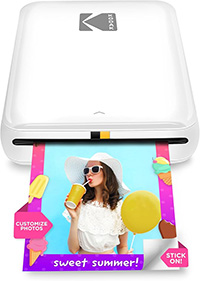 |
KODAK Step | The Kodak Step is a compact portable photo printer designed for instant printing from smartphones and tablets. It connects via Bluetooth or NFC and works with both iOS and Android devices. Once paired, users can print directly from their camera roll or social media, turning digital images into small physical photos without needing a computer or wired connection. The printer uses ZINK, or zero-ink, technology. Instead of ink cartridges or ribbons, it relies on 2 x 3-inch paper embedded with dye crystals that activate through heat. The prints are durable, resistant to smudges and moisture, and feature a sticky-back surface for easy application on surfaces such as notebooks, scrapbooks, or lockers. Each print takes under a minute, with speeds of about one page per minute in both black-and-white and color. Editing options are handled through the Kodak app, which provides a range of customization tools. Users can apply filters, add borders, insert stickers, and overlay text. The app also supports collages, offering flexibility for creative projects before sending the image to print. The Step weighs less than a pound, making it easy to carry in a bag or pocket. It runs on a built-in lithium-ion rechargeable battery, capable of printing up to 25 photos on a single charge. Charging is done via micro USB, and a starter pack of ZINK paper is included with the device. Available in multiple colors, the Step emphasizes portability and ease of use. It is best suited for casual photographers, students, or hobbyists who want to turn digital photos into physical keepsakes or decorations quickly. While its print size is limited and image quality reflects the constraints of ZINK paper, it offers a practical balance of convenience, portability, and creative flexibility. |
$79.99 |
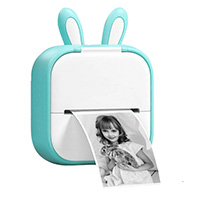 |
Memokin T02 | The Memoking T02 is a compact Bluetooth thermal printer designed for students, teachers, and light office use. It connects to iOS and Android devices via the dedicated app, allowing users to print directly from their phone or tablet. Setup is straightforward: once paired, the app provides access to functions for text, images, and templates. The printer only outputs in monochrome, but this is typical for portable thermal models. The Memoking app adds significant flexibility, offering nine core functions, some of which require a subscription. Users can combine text, pictures, tables, emojis, and QR codes into customized sticker prints. The app also includes hundreds of templates and graphics, as well as OCR and scan features that convert printed or handwritten material into editable formats. Additional options include banners, micro letters, and direct web page printing, making the T02 more versatile than many other pocket printers. Education is a central use case. Students can print study notes, flashcards, and diagrams for subjects like math, chemistry, or anatomy. Teachers can create small-format charts or labels to supplement classroom materials. Beyond education, the printer suits small business labeling, to-do lists, memos, and lightweight office tasks. For children, the device can generate puzzles, mazes, or simple learning activities. The T02 prints at 203 dpi, which is sufficient for clear text and simple graphics. At just 150 grams—about half the size of a phone—it is highly portable and fits easily in a pocket or bag. Its rechargeable battery supports regular daily use, though output is limited to thermal paper rolls, which must be purchased separately. Overall, the Memoking T02 offers portability and strong app-driven customization. While it only prints in black and white, its blend of templates, study tools, and lightweight design makes it a practical choice for students, teachers, and casual users who need quick, small-format prints on the go. |
~$35 |
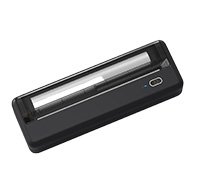 |
POOOLITECH | The Pooolitech portable thermal printer is designed for users who want a compact, inkless printer for mobile and home office use. Like other thermal models, it relies on heat-sensitive paper rather than ink or toner, which reduces ongoing costs and eliminates the need for consumable cartridges. This makes it well suited for quick document printing, labels, and notes where simplicity and portability matter more than full-color output. Connectivity is a strong feature. The printer supports Bluetooth pairing with iOS and Android devices, using the HerePrint app for mobile operation. For laptops or desktop use, it can also connect via USB-C, provided the proper driver is installed. This flexibility allows it to shift between smartphone printing in casual settings and PC printing in office environments without much setup. The design emphasizes straightforward operation. Users can pair a phone or connect via USB in a few steps, and the printer handles basic text and document output reliably. It is marketed toward students managing assignments, professionals who need to print while traveling, and home users looking for a lightweight alternative to larger inkjet or laser models. Portability is another focus. The unit is compact and light enough to carry in a backpack or briefcase, making it easy to use in cafés, libraries, or during travel. While thermal printing is limited to monochrome output and requires rolls of thermal paper, the trade-off is durability and convenience for everyday documents. The Pooolitech printer is backed by a lifetime warranty and responsive customer support. This is a notable inclusion compared to many portable printer brands, offering reassurance for long-term use. Overall, the Pooolitech printer provides a practical balance of cost efficiency, portability, and wireless flexibility. It suits students, travelers, and mobile professionals who need a reliable tool for light-duty printing without the expense or maintenance of traditional ink systems. |
~$90 |
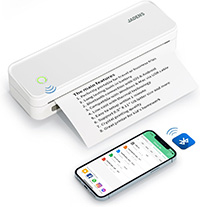 |
Jadens | EThe Jadens portable thermal printer is designed as an economical and versatile option for everyday printing. Like other thermal models, it eliminates the need for ink, toner, or ribbons, relying instead on heat-sensitive paper. With thermal sheets costing around seven cents each, the printer offers significant long-term savings compared with traditional inkjet or laser devices. This makes it suitable for printing study materials, contracts, forms, and travel documents at home, school, or in small office environments. Portability is one of its key advantages. The printer is compact enough to carry in a car, backpack, or travel bag, making it a practical tool for business trips or emergency situations where on-the-go printing is required. Its range of applications extends from shipping labels and business checks to boarding passes and meeting documents. Connectivity options include Bluetooth pairing with iOS and Android smartphones through the dedicated app, as well as USB connection for laptops and desktop computers. Setup is designed to be quick, typically taking only a few minutes after downloading the app or installing the computer driver. This ease of use makes it accessible for students and professionals alike. The printer is powered by dual 2600 mAh batteries, which provide up to three hours of continuous printing or about 360 sheets on a single charge. Standby time is rated at up to 90 days, ensuring the printer is ready even after periods of infrequent use. Paper size flexibility is another notable feature, with support for formats ranging from 2 inches to 8.5 inches wide. This allows the printer to handle everything from small labels to full-page documents. Backed by responsive after-sales support via phone and email, the Jadens printer offers reassurance for users who want a lightweight, cost-effective solution for portable printing needs. |
~$139 |
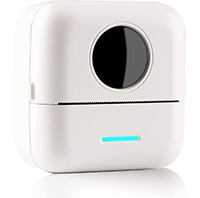 |
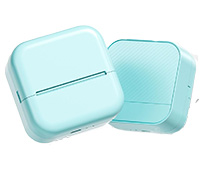
HuiJuKeJi | The HuiJuKeJi mini thermal printer is a compact, pocket-sized device designed for quick monochrome printing of notes, images, and labels. It comes bundled with 11 rolls of thermal paper, including both adhesive and non-adhesive types, which makes it ready for extended use out of the box. The printer uses a 205 dpi thermal print head to produce clear black-and-white images, text, and simple graphics without requiring ink or toner. Measuring 82 by 82 by 45 millimeters and weighing just 210 grams, the printer is portable enough to fit in a pocket or bag. It pairs with smartphones through the "Tiny Print" app, available on iOS and Android, which provides the interface for printing. Connection is handled within the app, rather than directly through a phone's Bluetooth menu, simplifying setup. The app expands the printer's utility with a range of features. Standard options include printing text, tables, QR codes, and images from a phone screen, while advanced functions make use of AI-assisted tools. These include automatic cartoon generation, line art, scene creation, and creative drawing modes, which allow users to turn photos or descriptions into stylized prints. This makes the device suitable for both practical and creative tasks, from shopping lists and memos to stickers and decorative prints. The built-in 1200 mAh battery supports long-lasting use and is rechargeable via the included cable. The package also contains a lanyard and user manual, along with the rolls of paper, providing everything needed to start printing immediately. Overall, the HuiJuKeJi mini printer offers a blend of portability, bundled supplies, and creative app-based features. It works best for casual users, students, or hobbyists who want an easy way to produce notes, labels, or small black-and-white images directly from a smartphone. |
$18.99 |
 |
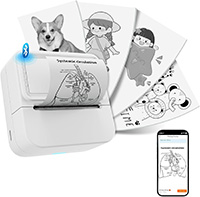
Memolife M02L | The Memolife M02L is a compact thermal printer designed for casual printing, labeling, and creative projects. It uses inkless thermal technology, which means it only requires rolls of thermal paper and avoids the ongoing cost of ink or toner. The printer supports a maximum paper width of 53 millimeters, allowing slightly larger prints than many pocket-sized models. One roll of white non-adhesive thermal paper is included in the package. Weighing just 152 grams, the M02L is lightweight and portable, making it easy to carry in a pocket, purse, or backpack. Its rounded design is intended to be safe and comfortable for everyday use, reducing the chance of sharp edges causing damage or discomfort. The printer connects to iOS and Android devices through the dedicated app, which is required for pairing. Unlike some models, Bluetooth must be enabled and connected directly within the app rather than through a phone's settings menu. The app does not require registration, and setup is straightforward—users can start printing within minutes. The Memolife app is one of the printer's strengths, offering more than 2,500 free materials, including templates, patterns, and designs. New content is updated every two weeks, which adds variety and keeps the device useful for creative users. The app also supports one-click printing of text, photos, QR codes, web pages, and labels, making it practical for both organization and leisure activities. The M02L is marketed as a versatile device for students, teachers, office workers, and hobbyists. Its small size and ease of use make it approachable even for children. With a 24-month replacement policy and lifetime support, it also provides reassurance for long-term use. Overall, the Memolife M02L offers a balance of portability, app-driven creativity, and simple functionality, making it a suitable choice for everyday printing needs. |
$19.99 |
 |
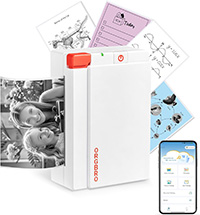
Aixiqee | The Aixiqee mini sticker printer is a pocket-sized thermal printer designed for labeling, note-taking, and creative projects. It uses inkless thermal printing, requiring only thermal paper rolls rather than ink or toner, making it a cost-effective and low-maintenance option. Output is in black and white, which suits text, diagrams, and simple graphics, as well as monochrome photo stickers for personal projects. The device connects wirelessly to iOS and Android smartphones through the SharpFox app, which enables Bluetooth pairing and printing. Once connected, users can quickly create labels, to-do lists, study notes, or barcodes directly from their phone or tablet. This straightforward operation makes it accessible for students, crafters, and small businesses looking for fast, lightweight printing solutions. One of the printer's main applications is in crafts and journaling. It can print monochrome photos, decorative labels, and custom stickers for scrapbooks or bullet journals. While limited to black-and-white output, it produces clear results for small-format creative projects, lists, or study aids. At its compact size, the Aixiqee is portable enough to carry in a pocket or bag, offering true on-the-go printing. It is powered by a rechargeable battery, charged via a USB-C cable, although the adapter must be supplied separately. The package includes one printer, ten rolls of thermal sticker paper, four decorative sticker sheets, a USB-C charging cable, and a user manual. Having a full set of starter supplies included adds value and ensures the printer can be used immediately after setup. Overall, the Aixiqee mini sticker printer is best suited for students, hobbyists, and light business use. It balances portability, bundled supplies, and simple Bluetooth operation, offering an easy way to produce labels, notes, or monochrome photo stickers directly from a smartphone. |
$49.99 |
 |
ORGBRO X3 | The ORGBRO X3 is a compact thermal printer designed for flexible note-taking, labeling, and creative projects. Unlike many mini printers limited to a single paper width, the X3 supports both 2-inch and 3-inch printing (50 to 80 mm). This makes it suitable for larger stickers, study notes, or small-format photos in addition to standard labels. Printing is handled at 300 dpi, which is higher than the 200 dpi resolution common in many entry-level thermal models. The increased sharpness produces clearer text and more detailed black-and-white images, making the printer effective for study materials, to-do lists, or simple photo prints. The manufacturer also emphasizes eye protection during extended use, which may be appealing for parents using the printer with children. The device pairs with smartphones through Bluetooth and is controlled with the "Snap & Tag" app, available for both iOS and Android. The app includes more than 100 free templates for labels, journals, and designs, and it allows direct printing from a phone's photo gallery or social media. This provides straightforward customization for school, home, or craft projects. Each unit includes one roll of 80 mm thermal paper, and additional rolls can be cut freely into different shapes or sizes after printing. Output is limited to black and white, but the flexibility of widths and templates makes the X3 versatile for planners, scrapbooks, or classroom use. At a portable size, the X3 is easy to carry in a bag, and its inkless operation reduces ongoing costs. It is powered by a rechargeable battery, though users are advised to fully charge before first use. Overall, the ORGBRO X3 combines portability with higher-resolution printing and flexible paper widths, making it a practical option for students, teachers, and hobbyists who want more versatility than typical pocket printers provide. |
$18.99 |
(As an Amazon Associate Nanowerk earns from qualifying purchases.)
Understanding How Mini Inkless Printers Work
Inkless printers, particularly the mini models popular among students and business professionals, operate on a principle distinctly different from traditional ink-based printers. The core technology behind these printers is thermal printing, a process that involves the application of heat to produce an image or text on paper.
Thermal Printing Technology
Heat-Sensitive Paper: Inkless printers use special heat-sensitive paper, commonly known as thermal paper. When this paper passes through the printer, it is exposed to controlled heat from a thermal print head.
Thermal Print Head: This component is crucial in inkless printers. It consists of tiny heating elements that can be individually controlled. When these elements heat up, they cause a chemical reaction on the thermal paper, leading to the formation of an image or text.
Resolution and Speed: The resolution and speed of printing depend on the density and responsiveness of the heating elements in the thermal print head. Higher densities allow for finer resolution, which is essential for printing detailed images or small text.
Digital Interface and Portability
Connectivity: Modern mini inkless printers often feature wireless connectivity options like Bluetooth or Wi-Fi, allowing users to print from various devices, including smartphones, tablets, and laptops.
Compact Design: Their small size makes them highly portable, a significant advantage for users who need to print on the go.
Advantages and Disadvantages of Inkless Printing
Advantages
Portability and Convenience: Their compact size makes them easy to carry, ideal for printing in various locations.
Low Maintenance: Without ink cartridges or toners, inkless printers require minimal maintenance, reducing the hassle of regular printer upkeep.
Cost-Effective: Over time, the cost of purchasing thermal paper can be lower than constantly replacing ink or toner cartridges.
Instant Drying: Prints from inkless printers are dry to the touch immediately, eliminating smudging issues associated with ink-based printing.
Disadvantages
Limited to Thermal Paper: These printers can only print on specialized thermal paper, which is more expensive than regular paper and can fade over time, especially when exposed to heat, light, or other harsh conditions.
Lower Image Quality: Generally, the print quality, particularly for images and complex graphics, is lower than that of ink-based printers.
Environmental Concerns: Thermal paper is often coated with chemicals like bisphenol A (BPA), raising environmental and health concerns. Also, thermal paper is not as easily recyclable as standard paper.
Durability Issues: Prints from inkless printers are not as durable as those from traditional printers. They can fade or become illegible over time, especially if stored improperly.
Frequently Asked Questions (FAQs) and Common Concerns
What Is an Inkless Printer and How Does It Work?
Inkless printers, also known as thermal printers, utilize heat to activate a chemical process on special thermal paper, producing text or images. This technology eliminates the need for traditional ink cartridges.
Can Inkless Printers Print in Color?
Most inkless printers are designed for black and white printing. However, there are some models capable of color printing, but they are less common and often have limitations in color range and fidelity.
What Type of Paper Is Required for Inkless Printers?
Inkless printers require thermal paper, a special paper coated with a material that changes color when exposed to heat. Standard paper cannot be used with these printers.
Are Inkless Printers More Cost-Effective Than Traditional Printers?
Inkless printers can be more cost-effective in the long run as they don't require ink or toner replacements. However, thermal paper can be more expensive than standard paper.
How Durable Are Prints from Inkless Printers?
Prints from inkless printers are susceptible to fading and damage if exposed to heat, light, or friction. They are generally less durable than ink-based prints.
Can Inkless Printers Connect to Mobile Devices?
Many modern inkless printers offer connectivity options like Bluetooth and Wi-Fi, allowing them to print directly from mobile devices and computers.
How Fast Do Inkless Printers Print?
Inkless printers are generally fast, with some models capable of printing a receipt or small document in just a few seconds. Printing speed varies among different models.
What Are the Environmental Impacts of Using Inkless Printers?
While inkless printers reduce ink cartridge waste, the thermal paper they use often contains chemicals like BPA and is not as easily recyclable as standard paper, posing environmental concerns.
Are Inkless Printers Suitable for Photo Printing?
Inkless printers can print photos, but the quality and durability may not match that of traditional photo printers, especially in terms of color depth and resistance to fading.
How Long Do Inkless Printers Last?
The lifespan of an inkless printer depends on its build quality, usage, and maintenance. Generally, they have a good lifespan, but like any electronic device, they can wear out over time.